How to Create a Digital Album for Wedding Clients
Last updated: · 5 min read
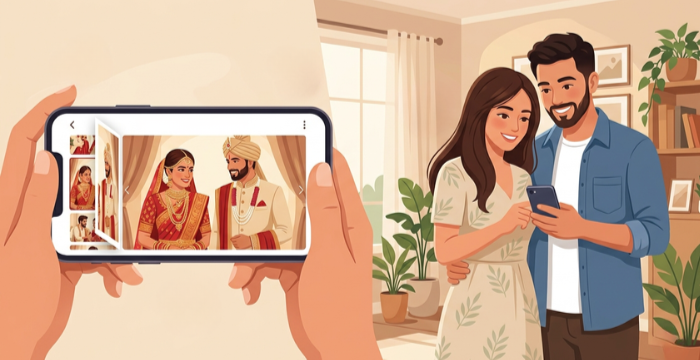
In today's digital world, wedding clients expect more than just a printed album. They want memories they can revisit anytime, share with family across the globe and cherish for a lifetime. Learning how to create a digital album is one of the most valuable skills a modern wedding photographer can develop. A beautifully crafted digital album not only elevates your service but also strengthens your brand and keeps clients coming back.
What Is a Digital Album?
A digital album, also known as an e-album, is an online, interactive version of a traditional photo album. Unlike a physical album, a digital album can be accessed from any device, such as a smartphone, tablet, or desktop, at any time from anywhere in the world.
What makes a digital album truly special for wedding clients is the experience it offers. Clients can flip through the pages just like a real book, enjoy background music that sets the mood and instantly share it with friends and family. It transforms a collection of photographs into a living, breathing memory.
With platforms like Photomall's e Album feature, you can create and share interactive digital albums with clients in a professional, seamless way. Clients can even review the album and request changes before the final physical album goes to print, saving both time and resources.
Why Wedding Photographers Should Offer Digital Albums
Before diving into how to create a digital album, it is important to understand why offering this service matters. Here are the key reasons:
- Easy sharing: Clients can share their wedding album online with friends and family instantly, no matter where they are.
- Professional showcase: A digital album lets you showcase your work professionally to a wider audience, helping you generate more business leads.
- Client review before printing: Clients can review the digital album and request changes before the final physical album is printed, reducing errors and reprints.
- Brand awareness: Sharing digital albums increases brand awareness among people and brings in more referrals.
- Enhanced client experience: Adding background music makes the memories feel more special and emotionally engaging.
How to Create a Digital Album: Step-by-Step
Step 1: Select Photos and Design the Layout
Start by shortlisting the best wedding photos that tell the story of the day — from preparation and ceremony to reception and candid moments. With Photomall's Photo Selection tool, clients can participate too, choosing their favourites with a simple swipe from anywhere. Once photos are finalised, arrange them in a storytelling sequence with balanced compositions so the album flows naturally like turning the pages of a real wedding book.
Step 2: Add Background Music and Send for Client Review
Add background music that matches the mood and style of the wedding. This transforms the browsing experience and makes the memories feel truly immersive. Once ready, share the album with your clients for review. With Photomall's e-Album, clients can go through every page and request changes before the final physical printing — eliminating costly reprints and ensuring complete satisfaction.
Step 3: Share the Digital Album Online
Once the couple approves the album, share it instantly. Clients can share their wedding album with friends and family online, no matter where they are in the world. With Photomall, you simply provide a direct link — clients can flip through it like a real book and share it at the touch of a button, bringing more visibility to your studio with every share.
How Photomall Simplifies the Process of Creating a Digital Album
For wedding photographers who want to offer a seamless digital album experience without complexity, Photomall is a one-stop solution. Here is what makes it stand out:
Interactive flip-book experience: Clients can flip through the album just like a real physical book, making the experience feel nostalgic and premium.
Background music: Add a personal soundtrack to each album to make memories more emotionally powerful.
Client review and approval: Clients can review the album before printing, ensuring they are happy with every page.
Easy online sharing: Albums can be shared with anyone, anywhere, boosting your studio's visibility.
Professional showcase: Use digital albums to showcase your photography work to potential clients and grow your business.
Works alongside physical albums: The digital album is the perfect companion to a printed album — giving clients the best of both worlds.
Final Thoughts
Knowing how to create a digital album is no longer optional for wedding photographers, it is expected. Today’s clients want memories that are easy to access, beautiful to experience and simple to share. Platforms like Photomall make the entire process straightforward, from Photo Selection to building an interactive e-Album with background music that can be reviewed, approved and shared online. Start creating digital albums today and give your wedding clients memories they can carry with them wherever they go.