Looking for the Best Photo Sharing App? Here's Why Photomall Stands Out
Photomall Team · Last updated: · 3 min read
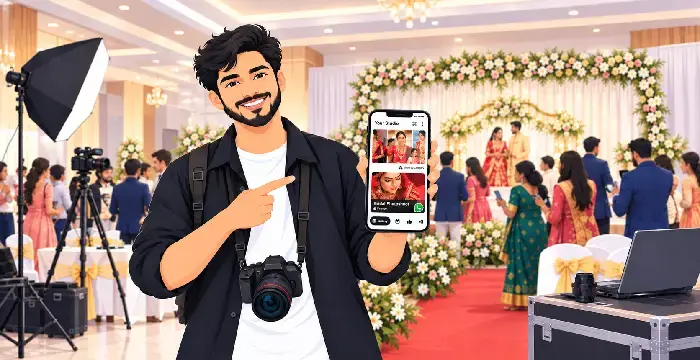
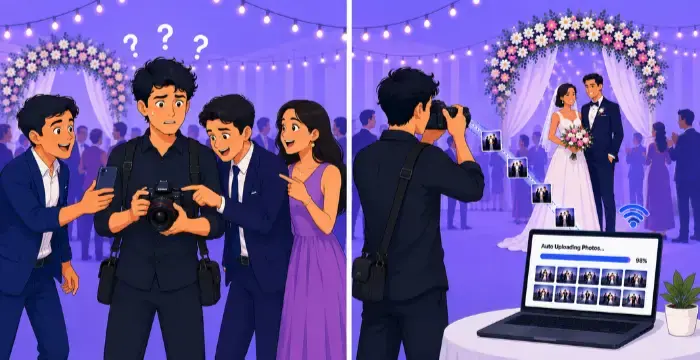
If you're a photographer, you know the pain of sharing event photos. Hundreds of pictures, dozens of clients, and everyone asking the same thing: "Where are our photos?" Sending files through WhatsApp or Google Drive is slow, messy, and makes your studio look less professional.
This is exactly the gap Photomall fills. It's a mobile app built around one core idea: sharing event photos with clients should be fast, automatic, and effortless. Here's what makes it stand out.
Your Own Branded Photo Sharing App
Photomall gives you a branded mobile app for photographers. It carries your studio name and logo, not ours. When clients open the app to view their photos, they see your brand, not the platform behind it. This builds trust and keeps your studio in front of clients long after the event is over.
AI-Powered Photo Sharing: The Main Feature
This is where Photomall truly stands apart from every other photo-sharing app. No more scrolling through hundreds of photos to find yourself.
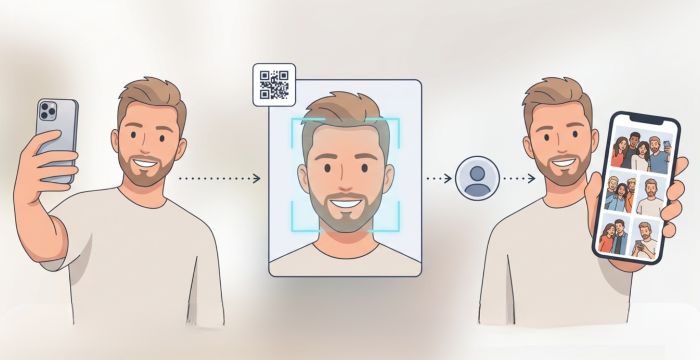
How It Works for Guests:
Upload a selfie
AI scans the gallery
Get your photos instantly
No manual searching. No "can you send me photo number 42?" messages. No hours spent on post-event photo curation. The client gets exactly what they want, in seconds, straight from their phone. This single feature turns photo delivery from a slow, manual chore into something that happens almost by itself.
The Engine Behind Live Photo Sharing: Event Manager
AI photo sharing only works well if photos actually reach the app quickly. That's where Event Manager comes in, the tool that makes live photo sharing possible.
Event Manager is a companion app (available on Windows, Mac, and Android) that runs quietly in the background during your shoot. automatically uploading photos, resuming after network drops, and skipping duplicates. Learn more about how it works in Automatic Photo Transfer with Event Manager.
It uploads photos automatically.
Just point it to your photo folder. It detects new images and uploads them to the server right away, so photos start appearing in the client gallery while the event is still happening.
It never stops for network issues.
If the internet drops at the venue, Event Manager pauses and resumes the upload automatically the moment the connection returns. No photo gets lost or delayed.
It skips duplicates on its own.
Any duplicate images are automatically detected and skipped, keeping the client gallery clean without any extra effort from you.
It works while you keep shooting.
Uploads happen in the background, so you can keep working, editing, or moving to your next shot while Event Manager handles the sharing.
Together, AI photo sharing and Event Manager mean your clients aren't waiting until the next day to see their pictures. They can view photos live, almost as soon as they're taken, giving every event a real-time, connected feel.
Why This Makes Photomall the Best Choice
A photo sharing app is only as good as how fast and effortless it makes delivery. Photomall combines:
A branded mobile app clients recognise as yours
AI-powered photo sharing that finds each client's photos instantly
Event Manager running in the background to upload and deliver photos live
This means less manual work for you, and a faster, more exciting experience for your clients.
Ready to Offer Live Photo Sharing at Your Next Event?
No more WhatsApp groups. No more waiting. Photomall delivers photos to your clients instantly, often live, during the event. Try it free today.
Start Your Free Trial