Share Event Photos using Face Recognition: The Smart Way to Deliver Memories
Photomall Team · Last updated: · 6 min read
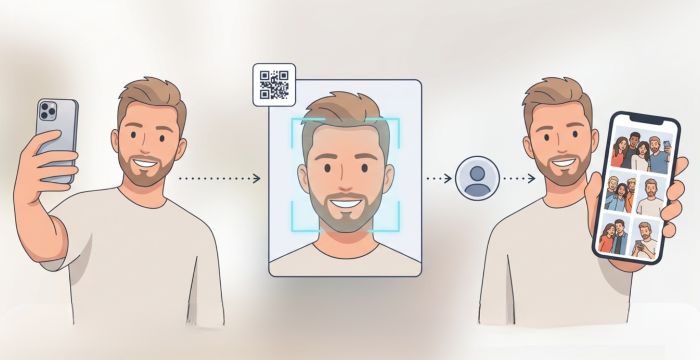
Event photography captures thousands of moments. Getting those photos to the right people has always been the hard part. After a wedding, corporate event, school function or public gathering, guests scroll through huge albums, ask for shared folders and send follow-up messages. Face recognition photo sharing fixes this. Each guest takes one selfie and receives only the photos they appear in, privately on their phone.
Why Finding Event Photos Is Still a Big Challenge
One event can produce thousands of photos with hundreds of guests. Traditional sharing methods weren’t built for that scale.
Guests usually get one of these:
- A public gallery link: Easy to open, but anyone with the link can view or download everything.
- A cloud storage folder (see Google Drive vs Photomall): Good for storage, but guests must scroll through hundreds of photos and often need a login to download.
- A messaging group upload (see why WhatsApp groups don’t work for wedding photos): Quick, but photos get compressed and buried in chat.
This leads to three problems:
- Endless follow-ups: Guests keep messaging to ask for their photos, long after the event ends.
- Safety and security risk: Anyone with the link can download or misuse your work.
- Wasted time: Delivery eats hours you could spend on editing, bookings or marketing.
What Is Face Recognition Photo Sharing?
Face recognition photo sharing uses AI photo sharing software to identify faces across all event photos. A guest uploads one selfie and the system matches it against every photo from the event. The guest sees only the photos they appear in. Nobody browses a full gallery and nobody sees anyone else’s pictures.
How to Share Event Photos using Face Recognition (5 Steps)
Step 1: Create your event
Log in to Photomall and create a new event.
Step 2: Upload event photos
Use Event Manager to upload photos automatically from your camera during the event, or upload them manually using the Chrome browser.
Step 3: Share the QR code or link
Place the QR code at the entrance, tables or stage, or send the link on WhatsApp. See where to place QR codes.
Step 4: Guests scan and take a selfie
Guests scan the QR code and take a selfie. They don’t need an app, an account or a password.
Step 5: AI matches faces and delivers photos
Photomall finds every photo of that guest and sends them to their phone on WhatsApp. When you upload new photos, matched guests receive those too.
How Face Recognition Makes Photo Delivery Smarter
Speed
Photos are delivered as soon as matching finishes. Guests don’t wait days or search through folders.
Accuracy
AI ensures guests receive only their own photos, even in large crowds, with 99.9% accuracy.
Privacy
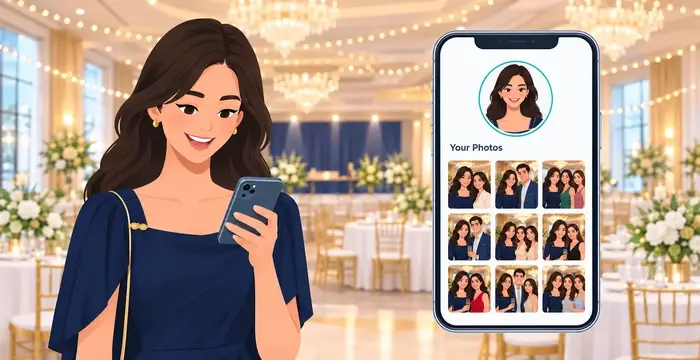
Each guest gets a private gallery. Their photos are never placed in a public album.
Face Recognition Photo Sharing vs Traditional Photo Sharing
| Feature | Traditional Photo Sharing | Face Recognition Photo Sharing |
|---|---|---|
| Photo access | Guests scroll the full gallery | Guests see only their photos |
| Time taken | Hours of searching | Delivered after matching |
| Privacy | Public links, risk of misuse | Private gallery for every guest |
| Photographer effort | Manual sorting and sending | Entire process is automated, from upload to delivery |
| Guest experience | Frustrating | Smooth and personal |
| Accuracy | Depends on guests manually searching; photos often missed | High accuracy with AI face matching |
Ideal Events for Face Recognition Photo Sharing
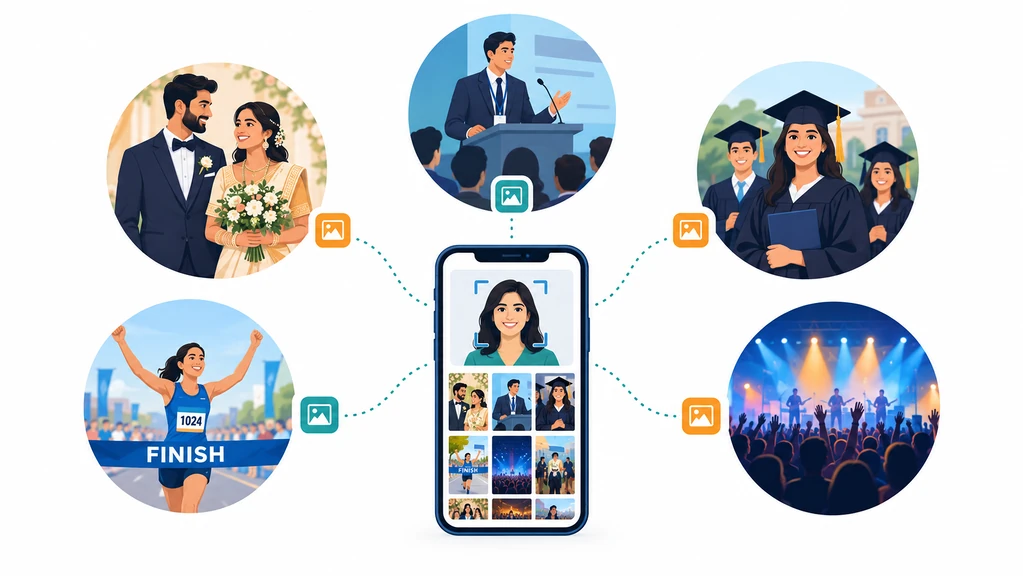
Weddings and private celebrations
Every guest receives only their own pictures, keeping family moments private.
Corporate events and conferences
Each attendee gets a personal gallery with your company branding. See how to share corporate event photos.
Sports events and marathons
Participants get their race-day photos as soon as the event ends.
Concerts, exhibitions and festivals
Deliver photos to thousands of attendees, each receiving only their own.
Live Event Photo Sharing with Face Recognition
One of the most powerful features of modern photo sharing platforms is real-time delivery during the event itself. Instead of waiting hours or even days after the event, guests can receive their photos instantly while the event is still happening.
Why Real-Time Sharing Changes Everything
- Live sharing transforms the entire event experience
- No waiting: Guests receive their photos immediately, no follow-up needed
- Higher engagement: Guests share photos instantly on social media during the event
- Exciting experience: Photo delivery becomes part of the event itself
- Better reach: Photographers gain more organic visibility through instant sharing
- Zero effort: Everything is automated, no manual work for the photographer
Track Matches and Delivery Status from Your Event Page
Once you upload the event photos from the Photomall admin panel, the AI starts processing them automatically. As the matching runs, the number of photos found for each guest appears on the event page, for example "5 Photos Found" or "10 Photos Found", right next to that guest's profile.
This also makes guest questions easy to handle. If a guest says they haven't received their photos yet, you can check their match count and answer right away, without opening each gallery one by one.
- See the match count for every guest at a glance
- Quickly spot guests with low or no matches
- Answer guest queries instantly with the exact match count
- Confirm matches before photos are delivered
Know When Photos Were Delivered on WhatsApp
Photomall also shows the time at which each guest's photos were delivered on WhatsApp. If a guest says they haven't received their photos, you can check the delivery time and confirm it in seconds, with no guesswork and no back-and-forth.
Is Face Recognition Photo Sharing Safe?
Security is one of the biggest concerns when AI technologies are involved — especially when it comes to people’s images and identities. However, modern face recognition systems like the ones used by Photomall are built with strong privacy and safety standards:
- Facial data is encrypted
- Selfies are used only for matching
- Data is not reused or publicly shared
Frequently Asked Questions
Q1. Does face recognition work accurately at crowded events?
Yes. The AI finds every face in each photo, even in crowd shots, and matches it to the guest’s selfie, even with different lighting or angles.
Q2. Can one selfie match multiple photos of the same guest?
Yes. One selfie is compared against every photo in the event, so the guest receives all the photos they appear in, including photos uploaded later.
Q3. What if a guest misses uploading their selfie during the event?
They can scan the same QR code or open the event link after the event and upload a selfie. It will be matched against all photos already uploaded.
Q4. Is there a limit to the number of photos I can upload?
The number of photos depends on your plan. Check the pricing page for current limits.
Q5. How do I share event photos using face recognition?
Create an event in Photomall and upload your photos. Then share the event QR code or link with guests. Each guest scans it and takes a selfie and Photomall sends them only the photos they appear in.
Q6. Do guests need to install an app?
No. Guests scan the QR code, take a selfie in their phone’s browser and get their photos. They don’t need an app, account or password.
Q7. Is there a free trial?
Yes. Photomall offers a free trial when you register and a 100% refund policy. Check the pricing page for plan details.
Final Thoughts
Sharing event photos should be simple, fast and memorable, not frustrating. By choosing to share event photos using face recognition, photographers and event organizers can deliver a modern experience that guests truly appreciate. With AI powered platforms like Photomall, photo sharing becomes more than just delivery. It becomes smart memory distribution.
Share Your Photos Securely