Photography Packages That Convert: Website Visitors Into Bookings
Last updated: · 4 min read
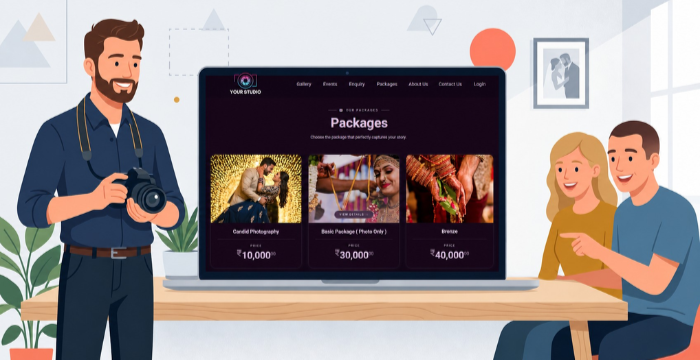
If potential clients cannot quickly find your photography packages, pricing and portfolio in one place, they will move on — often without contacting you. A professionally structured photography website solves all three problems at once.
1. Where to put your photography packages on your website
Your photography packages need a dedicated, always-visible page and not a PDF download, a social media caption, or a buried footer link. A client should be able to reach your pricing within two clicks from any page on your site. Hiding your pricing forces potential clients to contact you just to get basic information. Most will not bother. A clearly labelled Packages page removes that friction and signals professionalism before a single message is sent. Photomall photography websites include a dedicated Packages page as one of seven built-in pages, so your services and pricing are always front and centre and never an afterthought.
2. How your portfolio converts browsers into enquiries
Clients do not book from a price list alone. They book after seeing work they connect with emotionally. When your gallery, e-albums and event videos sit on the same website as your packages, a visitor can go from "I love this style" to "I want to enquire" in a single session without leaving your site.
Separating your portfolio from your photography packages is one of the most common and costly website mistakes photographers make. Keep them together.
3. Why do client reviews close bookings faster than pricing
A client who is still deciding does not need more package details. They need social proof. Real reviews shown directly on your website, at the exact moment clients are evaluating whether to reach out, remove doubt faster than any sales copy. Photomall websites display your Google reviews directly on your site, so trust is built precisely where and when it matters most.
4. The easiest ways for clients to contact a photographer
Once a client is interested in your photography packages, every additional step risks losing them. Two contact options cover all client preferences.
WhatsApp button
Let's clients message you immediately with zero friction. Ideal for mobile visitors who are ready to enquire now.
Enquiry form
Preferred by clients who want a more considered first contact or who are browsing outside of business hours. Having both means no interested visitor slips through the gap between wanting to reach out and actually doing it.
5. Why your website is your 24/7 photography booking engine
When you are on a shoot, travelling, or offline, your website is still working. A professional, mobile-friendly photography website with your own domain means clients can find you, browse your portfolio, review your packages and send an enquiry at any time without you needing to be present. A social media profile is not a substitute. It lacks the structure, permanence and professionalism that a dedicated website provides and it is controlled by a platform rather than by you.
Frequently Asked Questions
1. Should I display my photography packages and prices on my website?
Yes. Displaying your photography packages and pricing on a dedicated website page reduces friction, filters enquiries to genuinely interested clients and builds trust before anyone contacts you.
2. What pages does a photography website need?
At minimum: Home, About, Portfolio, Packages and Contact. Additional pages like Reviews, Blog, or FAQs add SEO value and help answer client questions before they enquire.
3. How do I get more photography bookings from my website?
Display your packages clearly, show your portfolio in context, feature real client reviews and make it easy to contact you via WhatsApp and an enquiry form. If a client has to hunt for any of these, they will leave.
4. Do photography clients check Google reviews before booking?
Yes. Displaying Google reviews directly on your photography website rather than sending clients to a separate platform keeps them engaged and removes a decision-making barrier at the critical moment of evaluation.
5. Is a WhatsApp button useful on a photography website?
Very. A WhatsApp button allows mobile visitors to send an enquiry instantly with no forms to fill out. It is especially effective for photography services because most enquiries begin on mobile devices.
Conclusion
Your photography website is your most reliable booking tool. When your packages, portfolio, reviews and contact options are all in one place, you stop losing clients to confusion and friction. Make your pricing visible, let your work speak for itself, build trust through real reviews and stay easy to reach. Get these four things right and the bookings will follow.